
Alright, let’s get real. You fire up Roblox, and suddenly your computer’s sounding like a TIE fighter in a dogfight. Not ideal, right? If your rig’s older than a flip phone, you might be in for some serious performance drama. But hey, it’s not all doom and gloom! Stick around, and I’ll spill the secrets to keep your gaming smooth and your machine cool—like a Jedi master with a lightsaber!
Can Roblox Crash Your Computer?
So, you’re diving into the pixelated wonderland of Roblox, huh? Exciting! But wait—can Roblox crash your computer? Well, it’s not just you; countless users have faced the dreaded freeze.
Roblox performance hinges on system stability. Tweak those game settings! Sometimes, hardware limitations or pesky software conflicts can throw a wrench in your gaming spree.
And don’t get me started on graphics optimization—too high, and your computer might just say, “Nope!”
Plus, network issues can add to the chaos. Keep an eye out, and you’ll be fine. Just remember: even the Millennium Falcon had its off days!
What Are Roblox’s System Requirements?
You’re ready to jump into Roblox, but hold up! Before you plunge into it, let’s chat system requirements. You don’t want your computer to throw a tantrum like a toddler denied candy, right?
For decent Roblox performance, make sure your PC’s got at least 4GB of RAM and a decent graphics card. Think of it as equipping your character for a boss battle!
Check that your system’s compatible with Windows 7 or higher, or macOS 10.11+.
And if you’re on mobile? You’ll need a snazzy device running iOS 10 or Android 5.0.
Happy gaming, champ!
Roblox’s Impact on Computer Performance

While you’re off building the next epic obby or trading virtual hats, your computer’s working hard behind the scenes.
Roblox graphics may look cute, but they can gobble up memory faster than a hungry Pikachu!
Performance optimization? It’s essential! Adjusting those game settings can help with resource management.
And let’s not forget system compatibility. Not every machine is a Jedi; some might struggle under those background processes.
Network stability is key, too! A laggy connection is like trying to catch a Magikarp in a hurricane.
Can Roblox Cause Overheating Issues?
Roblox might look like a cute little game, but don’t let those blocky avatars fool you!
When you’re deep in a game, your computer’s working harder than a Wookiee in a lightsaber duel. Overheating issues can sneak up on you, like a stealthy ninja in the shadows.
So, what’s the deal?
If you want some overheating prevention, try cooling solutions like a good fan or even a cooling pad.
Trust me, your PC will thank you! Keep that system chill, and you’ll keep on gaming without a meltdown.
No one wants to lose their epic quest because of a hot-headed computer!
Could Roblox Expose You to Malware?

Ever wondered if your favorite blocky adventure could turn into a digital minefield? Spoiler alert: it can!
Roblox can expose you to malware risks, especially if you’re downloading shady add-ons or clicking on sketchy links.
But don’t panic! You can dodge those dangers with some solid security measures.
Keep your antivirus updated like you’d keep your lightsaber charged.
And please, for the love of all that’s pixelated, avoid downloading anything from unknown sources!
Stay savvy, my friend! Your gaming experience should be fun, not a quest to defeat malware.
Keep your computer safe and game on!
Common Error Messages That May Indicate a Crash
You know that sinking feeling when your game freezes like a Glitch Pokémon? You’re not alone! Error codes pop up, and suddenly you’re in the middle of a digital disaster.
Software conflicts might be lurking, or maybe driver issues are sabotaging your fun. Watch out for memory leaks—those sneaky villains can drain your system faster than a power-up in Mario Kart!
Check your system logs; they’re like the detective’s notebook of your computer. Compatibility problems and network errors can cause performance dips too.
If you see crash reports, grab your cape and investigate. Don’t let Roblox be a villain in your gaming saga!
How to Optimize Your Computer for Roblox
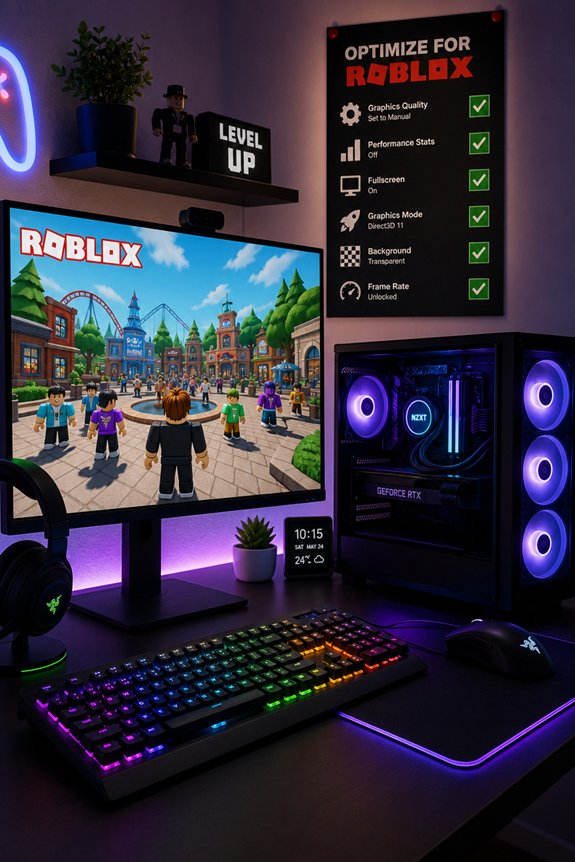
So, your game’s been throwing fits like a toddler on a sugar rush. Let’s fix that!
First, tweak those graphics settings—turn down the fancy stuff. Less is more, my friend.
Next, ditch those background applications. They’re like that friend who just won’t leave the party.
Is your hardware feeling old? Time for some upgrades, maybe?
Also, keep an eye on your internet connection—lag is the ultimate villain.
Regular system maintenance is key. Clean up those files!
And don’t forget game optimization and performance monitoring.
You’ve got this! With some resource management, you’ll be ready to conquer Roblox like a true gaming hero!
What to Do When Roblox Crashes?
When Roblox decides to crash, it can feel like your game just went into hyperdrive without you. Frustrating, right?
First, don’t panic! Try these Roblox troubleshooting tips. Restart your device. Seriously, it’s like magic!
Check your internet connection—slow Wi-Fi is the Darth Vader of game stability solutions.
Update Roblox and your graphics drivers. Outdated software is like using a flip phone in 2023!
If it’s still acting up, clear the cache. You wouldn’t want a cluttered backpack in a dungeon raid, would you?
And if all else fails, reach out to support. They’re like your trusty sidekicks in this quest!
How to Enjoy Roblox on Low-End Systems
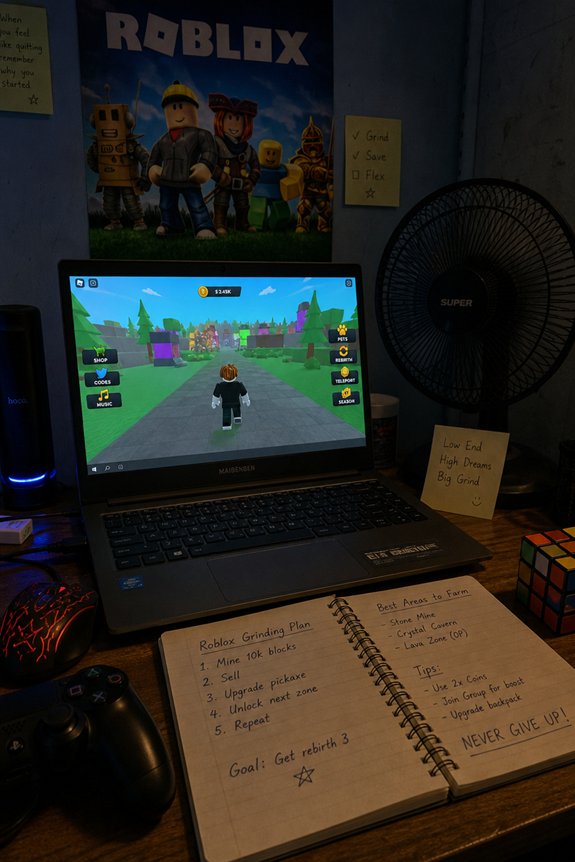
Feeling bummed because your trusty old laptop can’t keep up with Roblox? Don’t sweat it! Start with some Roblox settings—lower those graphics adjustments! You’ll be surprised how much smoother the game runs.
Next, ditch any pesky background processes. They’re like the annoying sidekick nobody asked for.
Consider game selection, too. Not all games are created equal. Some are like a gentle stroll, while others are a chaotic boss fight!
If you’re feeling adventurous, think about hardware upgrades. A little boost can work wonders.
And hey, keep that internet connection strong! Happy gaming!
Tips for a Safe and Enjoyable Roblox Experience
While diving into the pixelated world of Roblox, you’ve gotta keep your wits about you.
First off, follow those Roblox safety tips! Don’t share personal info, or you might as well hand your keys to Darth Vader.
Next, tweak your settings for some epic gameplay enhancements. Lower graphics? Check! Disable unnecessary add-ons? Double-check! Your computer will thank you.
And hey, take breaks! Even the best Pokémon trainers need to recharge.
FAQs
Can Roblox Be Played on Mobile Devices Without Issues?
You can totally play Roblox on mobile devices without issues. Sure, mobile performance can vary, but most devices handle it like a champ.
Your user experience? It’s usually smooth, just like butter on a hot pancake!
And hey, if your phone starts acting like Jar Jar Binks—lagging and clunky—just close some apps.
Keep it light, and you’ll be building virtual worlds in no time! Game on, my friend!
Does Roblox Require an Internet Connection to Play?
You bet, Roblox needs an internet connection to play! It’s like trying to catch a Pokémon without Wi-Fi—impossible!
Roblox features tons of multiplayer goodness, so you won’t just be collecting virtual coins alone. You’ll need that sweet, sweet bandwidth to plunge into those epic worlds with friends.
Are There Parental Controls Available for Roblox?
Roblox has parental settings that let you control what your kid sees. You can set restrictions on chat, friend requests, and even who can join their games.
It’s like having a lightsaber in a galaxy full of pesky Sith!
And hey, you can monitor their playtime too. So, you can keep them from turning into a gaming zombie.
Just explore the settings and customize it all. Safety first, fun second!
Can I Play Roblox Offline?
Nope, you can’t play Roblox offline. It’s like trying to catch Pikachu without a Poké Ball—not happening! Roblox needs a solid internet connection for that sweet performance.
But hey, you can save your game progress and jump back in when you’re online. Think of it as a pause button for your adventure.
Is Roblox Suitable for All Age Groups?
Roblox isn’t just for kids—it’s a playground for all ages! Sure, there are age restrictions, but you’ll find gameplay experiences that suit everyone.
And let’s be real, the community interactions can be wild, like a Jedi at a Sith convention. Just keep an eye on Roblox safety—it’s not a perfect galaxy far, far away.
Final Thoughts
So, can Roblox crash your computer? Yeah, it can! But don’t panic! Just keep your system updated, tweak those settings, and make sure you’ve got the right gear. It’s like prepping for a boss battle in a game—be ready! If you’re smart about it, you’ll be building your virtual empires without a hitch. Now go out there, release your creativity, and have a blast! Just remember, your computer’s not a Jedi—it can’t handle everything!