
Hey there, fellow parent! So, you’re wondering if you can hit pause on your kiddo’s Roblox escapades, right? You bet you can! Think of it like using the Force to keep balance in the galaxy of gaming. With a few tweaks in the parental controls and some cool apps, you can manage that precious playtime. But how do you actually do that? Let’s explore the nitty-gritty!
Why Setting Time Limits Matters for Kids
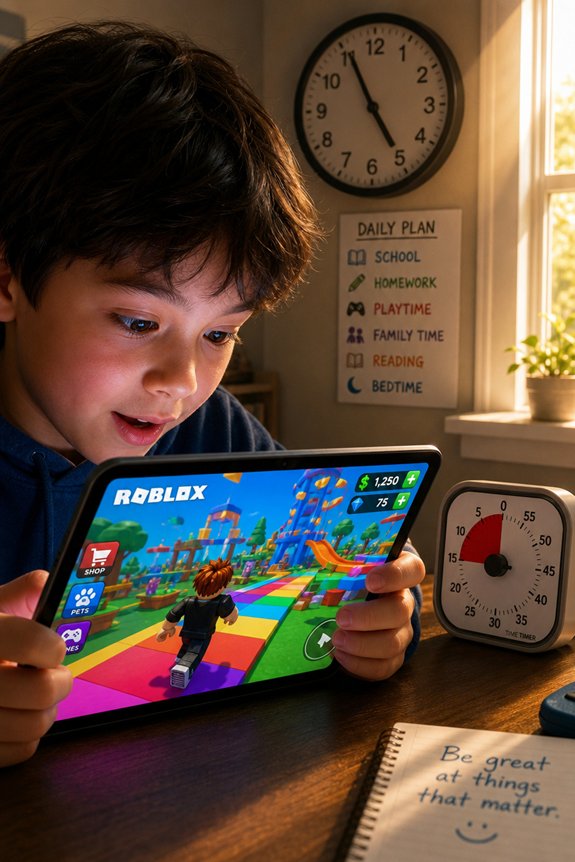
So, you think letting your kid play Roblox for hours on end is totally fine, huh?
Sure, they’re crafting worlds and making friends, but what about screen time? Too much can mess with childhood development. You don’t want them to grow up with gaming habits like a couch potato, right?
And guess what—parental involvement is key! Balance their digital wellness with outdoor activities. They need fresh air, not just pixelated quests.
Plus, time management skills? Yeah, those are important, too.
Direct Methods to Set Roblox Time Limits
You know, while your kid’s off building epic castles in Roblox, it’s easy to lose track of time—like, “Where did the whole Saturday go?” easy.
To tackle this, you can engage with Roblox time management with a few direct methods.
First, set a timer! Let your kid know when the clock strikes, it’s game over.
Second, use gaming time restrictions on devices. Most tablets and consoles let you limit playtime.
And hey, don’t forget to turn it into a quest! “Defeat the Timer Monster!” Who doesn’t want to battle time like a true gamer? Game on!
Set Up Parental Controls for Roblox

Let’s talk parental controls. You’ve got the power to boost your kid’s gaming safety!
First, explore the account settings. You can restrict who can chat with your little gamer, limit in-game purchases, and even block specific games.
And hey, it’s like being the Jedi Master of their online universe!
You don’t want them wandering into a digital Death Star, right?
So take a few minutes to set up those controls. It’s worth it.
Think of it as your own version of a superhero cape—protecting them from the dark side of the gaming world!
Step-By-Step Guide to Setting Time Limits in Account Settings
While you might feel like a Sith Lord when it comes to setting limits, don’t worry—this isn’t about ruling with an iron fist.
First, log into your Roblox account. Navigate to Account Settings—easy peasy.
Now, look for the “Privacy” tab. There, you’ll find options for gameplay management.
Set your screen time limits. Choose a daily cap that works for you and your young Padawan.
And voilà! You’re the master of their gaming universe.
Best Apps to Monitor Roblox Playtime
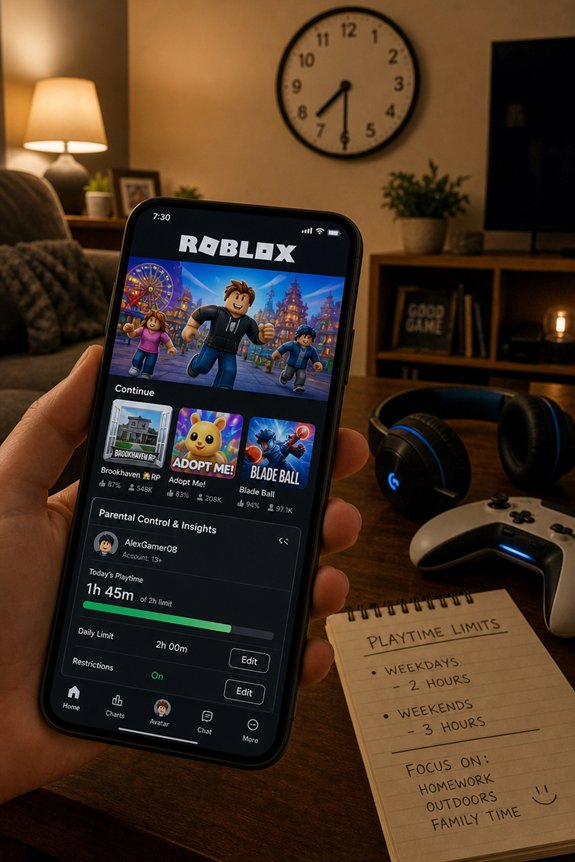
When it comes to tracking your kid’s Roblox escapades, think of it like assembling the ultimate team of superheroes—each app brings its own powers to the table!
For solid playtime tracking, check out apps like FamilyTime or Qustodio. They’ll give you the lowdown on those marathon gaming sessions.
And, if you wanna release your inner Jedi, Circle or Net Nanny are great app recommendations, too.
These tools help you keep tabs without being the dreaded “parental overlord.”
How to Talk to Your Kids About Roblox Screen Time
You know what? Talking to your kids about Roblox screen time can feel like maneuvering a Death Star trench run—intense but necessary!
Start by setting the stage for a chat. Ask them what they love about the game. Share your wisdom, sprinkle in some parental guidance, and explain why screen time matters.
But don’t be a total Jedi about it; keep it light! Remind them there’s a world outside Roblox—like, have they heard of fresh air?
Balance is key. Encourage them to earn their playtime, like leveling up in a game. Together, you’ll find the perfect balance!
Balancing Roblox With Other Activities

Let’s face it—Roblox can be as addictive as a shiny new Pokémon, but it’s essential to mix things up!
You need a game schedule that balances your epic virtual quests with some good old-fashioned offline activities.
How about a little adventure outside? Maybe a bike ride or some epic frisbee? Those skills won’t level up themselves!
And don’t forget to hang with friends—real-life side quests are just as important as those in-game missions.
Tips for Maintaining a Healthy Gaming Environment
So, while you’re crafting your virtual empire in Roblox, don’t forget to build a solid gaming fortress at home, too!
You’ve gotta take those gaming breaks, my friend. Seriously. Your brain isn’t a turbo-charged CPU; it needs some R&R!
And don’t just snack on Doritos while you’re leveling up! Embrace healthy habits. Grab an apple or something. Your future self will thank you!
Consider stretching every hour, too. Think of it as a mini boss battle against stiffness.
Can You Set a Time Limit for Roblox?
Ever get lost in Roblox and suddenly realize you’ve just time-traveled to your next birthday? Yeah, it happens! Setting a time limit for your gaming can save you from those epic time slips.
You can use built-in features to manage your time. Ever heard of parental controls? They’re not just for kids! You can set limits to keep your gaming habits in check.
Think of it like a lightsaber duel—balance is key!
FAQs
Can I Set Different Time Limits for Multiple Children?
Absolutely, you can set different time limits for multiple children! Just plunge into those parental controls like a Jedi into the Force.
You’ll find options to customize screen time for each kid. It’s like leveling up your parenting game!
And hey, think of it as creating a balanced party in Dungeons & Dragons—everyone gets their fair share of fun.
Does Roblox Have Built-In Time Tracking Features?
Nope, Roblox doesn’t have built-in time tracking features.
But don’t panic! You can use parental controls to manage your kiddos’ gaming hours. Think of it like using the Force—guiding them to balance fun and responsibility.
You can set limits on playtime, but you’ll need to keep an eye on the clock yourself.
What Happens When the Time Limit Is Reached?
When the time limit’s reached, you’re yanked out of your epic Roblox adventure—like a Jedi getting pulled back to reality! This can totally impact your gameplay.
You might find yourself feeling like a superhero with their powers cut off. Player behavior changes too. Some may rage-quit, others might strategize for next time.
But hey, it’s all about balance, right? Just remember, even heroes need a break from the virtual battlefield!
Can Time Limits Be Overridden by Kids?
Yep, kids can totally wiggle around those time limits! You set those parental controls, but if your little gamer’s got a knack for persuasion, good luck!
It’s like battling a boss in Mario—sometimes they just find a way to cheat the system!
Make sure you’ve got some solid child agreements in place about screen time.
And don’t be afraid to channel your inner Jedi and enforce those limits!
Are There Consequences for Ignoring Time Limits?
Ignoring time limits can lead to some serious screen time chaos. Your kid’s gaming habits might spiral outta control, and trust me, that’s not a power-up you want.
You’ll see cranky behavior, mood swings, and even those sad, zombie-like stares!
But hey, with parental controls, you can keep the balance like a Jedi with a lightsaber. Set those limits, or risk letting your child turn into a gaming Gremlin!
Final Thoughts
Setting time limits for Roblox isn’t just smart—it’s necessary. Think of it like balancing your party in D&D; you need a solid strategy to keep the fun going without going overboard. You’ve got the tools and the know-how now, so be the hero your kid needs! Talk it out, set those limits, and remember—gaming is great, but real life’s got quests, too! Now go forth, and may the Wi-Fi be ever in your favor!